

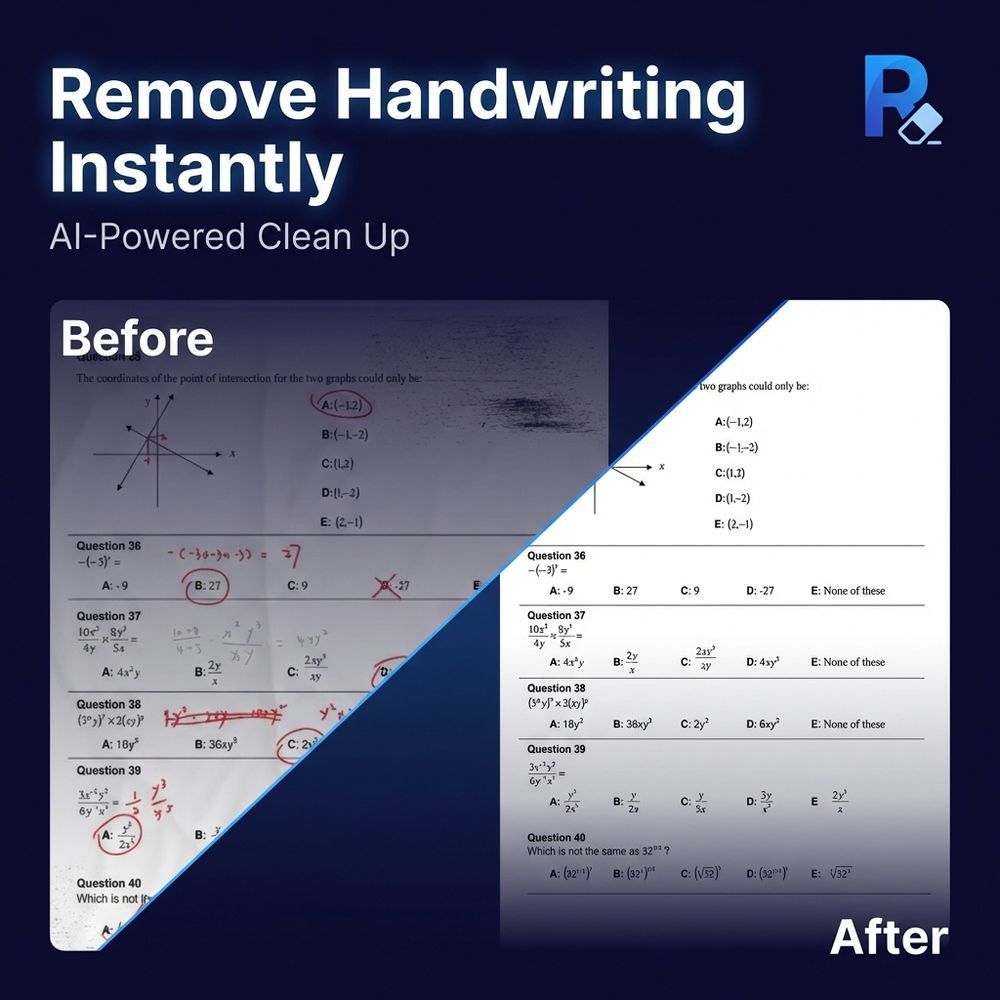
Remove Handwriting is an advanced AI-powered tool designed to effortlessly erase handwritten notes, annotations, and marks from various document formats, including images (JPG, PNG, JPEG) and PDFs. This versatile service is available as a web application and dedicated mobile apps for iOS and Android, making it accessible for a wide range of users.
The core functionality revolves around its intelligent AI, which accurately distinguishes between handwritten and printed content. This allows the tool to remove only the desired handwritten elements while meticulously preserving the original printed text, tables, and diagrams. This capability is crucial for maintaining document integrity and clarity.
Beyond simple handwriting removal, Remove Handwriting offers comprehensive document restoration features. It automatically detects and corrects common document imperfections such as shadows, skew, curled edges, and background noise. The AI can flatten creases, adjust angles, and clean old or stained archives, effectively restoring documents to a pristine, balanced canvas. This makes it ideal for enhancing blurry scans, fixing distortions, and performing complete document cleanup in seconds.
Key features include:
AI-Powered Handwriting Removal: Erase handwritten notes, scribbles, and annotations from test papers, worksheets, contracts, and scanned documents. Multi-format Support: Process JPG, PNG, JPEG images, and multi-page PDF files. Document Restoration: Automatic correction of skew, curl, shadows, stains, and background noise. Preservation of Original Content: Ensures printed text, tables, and diagrams remain intact after handwriting removal. Flexible Processing Options: Offers single image removal, bulk processing, PDF processing with page selection, and manual processing for complex cases. Cross-Platform Availability: Accessible via web browser, iOS app, and Android app. Privacy-Focused: Uploaded images are automatically deleted after processing and are not stored or used for AI model training. API Access: Available for teams and businesses requiring high-volume processing and integration into existing workflows.
Remove Handwriting serves a diverse user base:
Students: Can clean up practice papers, lecture notes, and worksheets for repeated study or sharing without previous annotations. Teachers: Efficiently prepare clean copies of test papers and assignments, saving hours of manual work. Businesses & Document Managers: Streamline document processing, clean scanned contracts, archives, and forms, ensuring professional and legible records. Archivists: Restore historical documents by removing handwritten corrections and preserving original scans for digital archiving. Parents: Easily create fresh copies of homework and practice sheets for children, promoting repeated learning without wasting paper.
The service offers a free trial with 3 credits upon signup, with additional credits earnable through a referral program or by watching ads on the mobile app. Paid subscriptions and credit plans are available for unlimited processing, catering to both individual and professional needs. With its fast processing times (typically 5-10 seconds per image) and high accuracy (95%+ in standard scenarios), Remove Handwriting stands out as a robust solution for anyone needing to clean and restore documents.